Live demo
Prepared for Juhayna Food Industries · Management review

One number for every KPI.
Trusted by everyone.

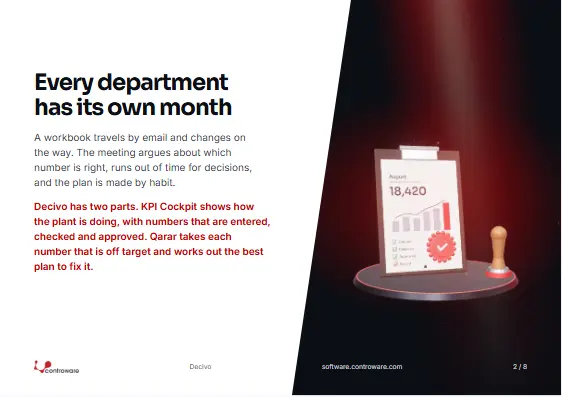
Decivo is the KPI system CONTROWARE built with Juhayna. KPI Cockpit measures the month: every number is entered, checked by a second person, approved and sealed. Qarar decides: it turns each red KPI into a plan with a value in pounds.

Pilot: El Dawlia PlantStarted 10 September 2026Status as of 26 November 2026
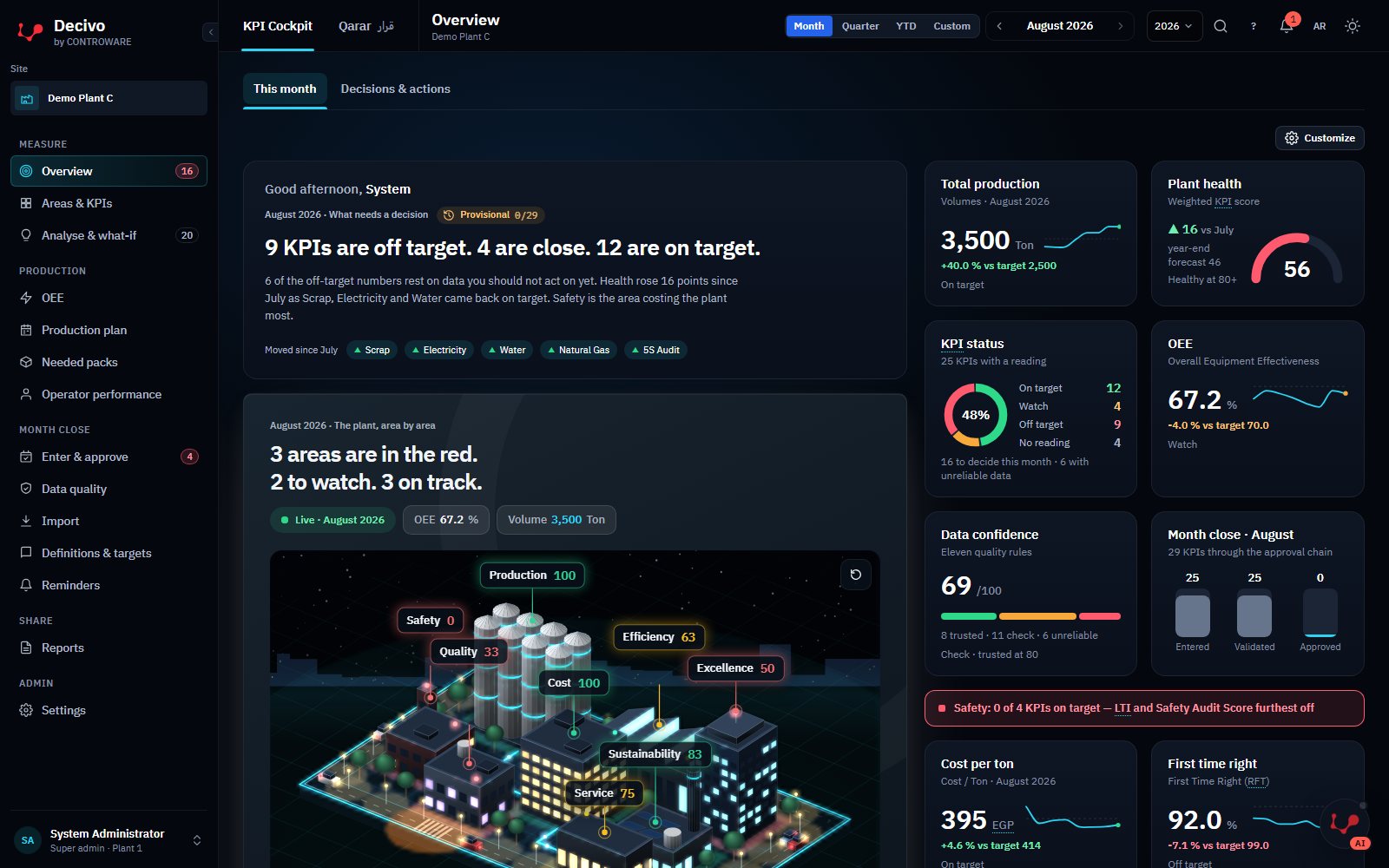
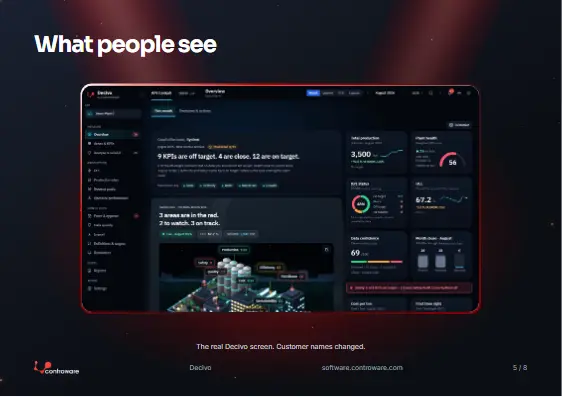
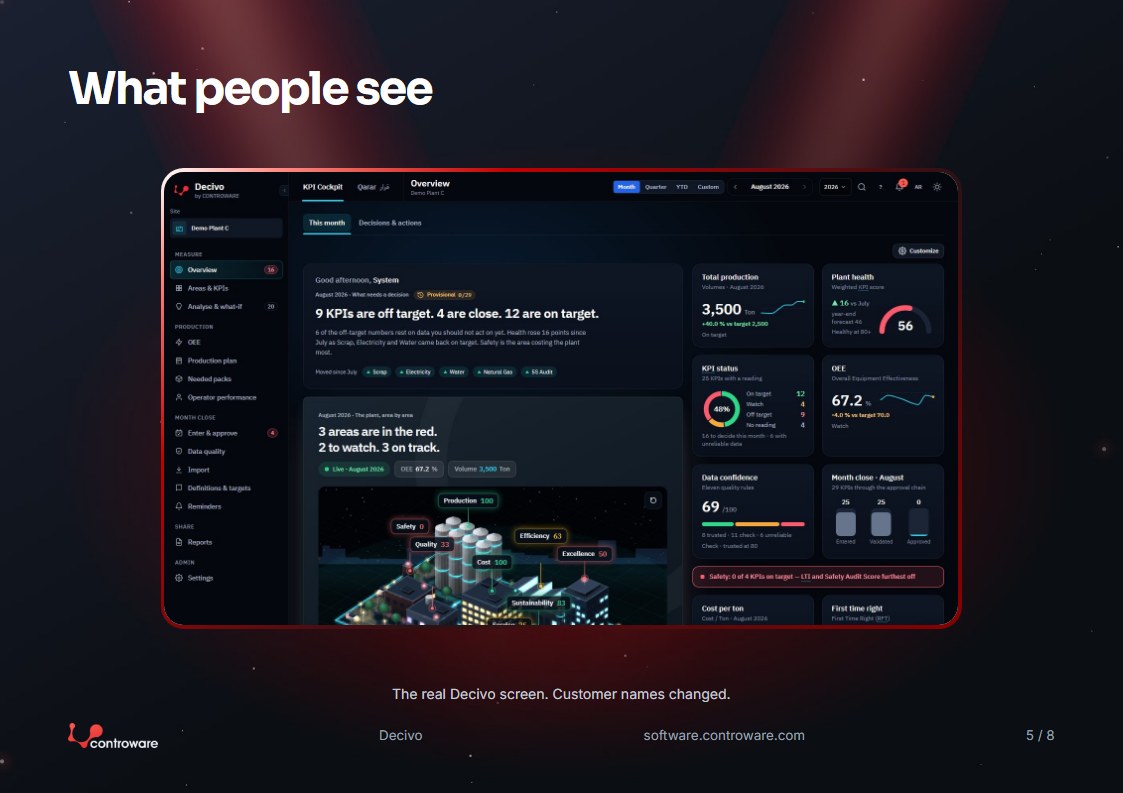
Decivo Overview screen: 9 KPIs off target, 4 close, 12 on target; plant health 56; OEE 67.2 %; data confidence 69 of 100; month close progress.
25KPIs live in the El Dawlia pilot
326KPIs in scope, across four plants
11checks run on every number
65decision engines in Qarar
EN · عEnglish and Arabic, all the way through
The film · 1 minute 34

See it run: a Monday morning from red to green

A plant manager has two hours before the management meeting. Watch KPI Cockpit take her from the whole month to the number that matters, an answer in Egyptian Arabic, and a dated plan back to target. Made from real recordings of the running app.

The film follows Mona, a plant manager, through KPI Cockpit: the Overview in one sentence, a drill from plant to area to KPI, a question to KP-AI in Egyptian Arabic, a red-to-green plan, dark mode, Analyse, the phone app, and the closing card.

With English captions. Names in the film are made up (“Nile Dairy”, “Mona”); the screens are the real product. Download the film (MP4)

El Dawlia data assessment · 10 September 2026

We checked the plant's own workbook. The numbers were not yet decision-grade.

Before writing any software, we tested the 25 KPIs El Dawlia reported for January to August 2026 against the KPI Guidebook, against each other and against dairy practice.

Verdict on 25 KPIs

52 findings, 18 of them high

6reliable as reported
14usable after one check
5should not be reported yet

Year to date was averaged the wrong way

Monthly ratios were averaged while volume doubled. Dividing the totals gives a different answer:

  • Electricity3 %
  • Scrap7 %
  • Defects (DPMU)15 %

Three numbers could not all be true

One lost-time injury and one recall every month, beside complaints under one per million units.

Quality KPIs did not add up

First time right said 8 % was not right. Scrap, reprocess and defects together explained under 1 %.

Nothing could be traced

One final figure per KPI, with no parts, source, author or date. Four definitions differed from the Guidebook.

What was solid: volumes, cost per ton, logistics cost, natural gas and 5S behaved as they should and could be reported straight away. Most problems were definition problems, not performance problems, and fixable in one month-end cycle.

What changes

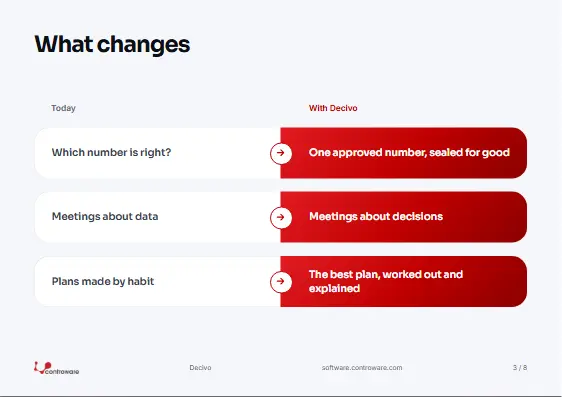
From arguing about the number to deciding on it

  • Today

    A workbook travels by email and changes on the way

    With Decivo

    One approved number, sealed for good

  • Today

    Ratios averaged month by month

    With Decivo

    Totals divided, so the year is right

  • Today

    No record of who changed a figure

    With Decivo

    Every change on record: who, when, before and after

  • Today

    Meetings spent on which number is right

    With Decivo

    Meetings spent on what to do about it

  • Today

    Plans made by habit

    With Decivo

    The best plan, worked out, explained and costed

How it works

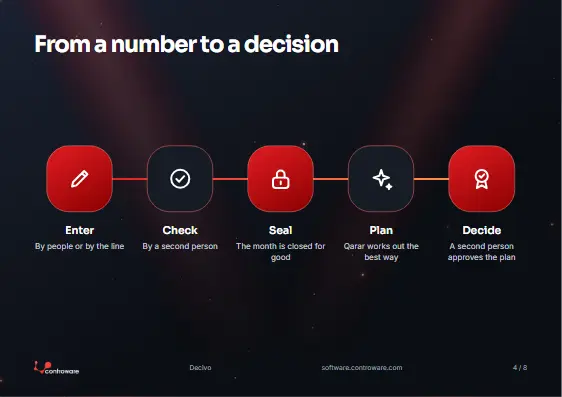
From a number to a decision, with two people at every step

No figure reaches management until someone other than the person who entered it has checked it.

  1. EnterBy people, from Excel, or from the line
  2. CheckEleven quality checks, then a second person
  3. ApproveThe KPI owner signs it off
  4. SealThe month is certified and cannot change silently
  5. DecideQarar proposes the plan; a manager approves it
1,203,30021,000kWh over tons
=
57.3kWh per ton

Every number is kept as its two parts

  • 1

    The year is right. A quarter or a year divides the totals, never the average of monthly ratios.

  • 2

    Every figure can be traced. Back to the meter, the person who entered it, and who checked and approved it.

  • 3

    Definitions keep their history. A changed definition starts a new version, so past months stay comparable.

KPI Cockpit · Measure

Five questions management asks. One place for each.

The Overview above answers the first: what needs a decision this month. The rest of the product answers the others, in English or Arabic.

“Show me the numbers.”

Performance

Plant, then area, then KPI. Each number shows its target, its trend, how it is calculated, and how far it can be trusted.
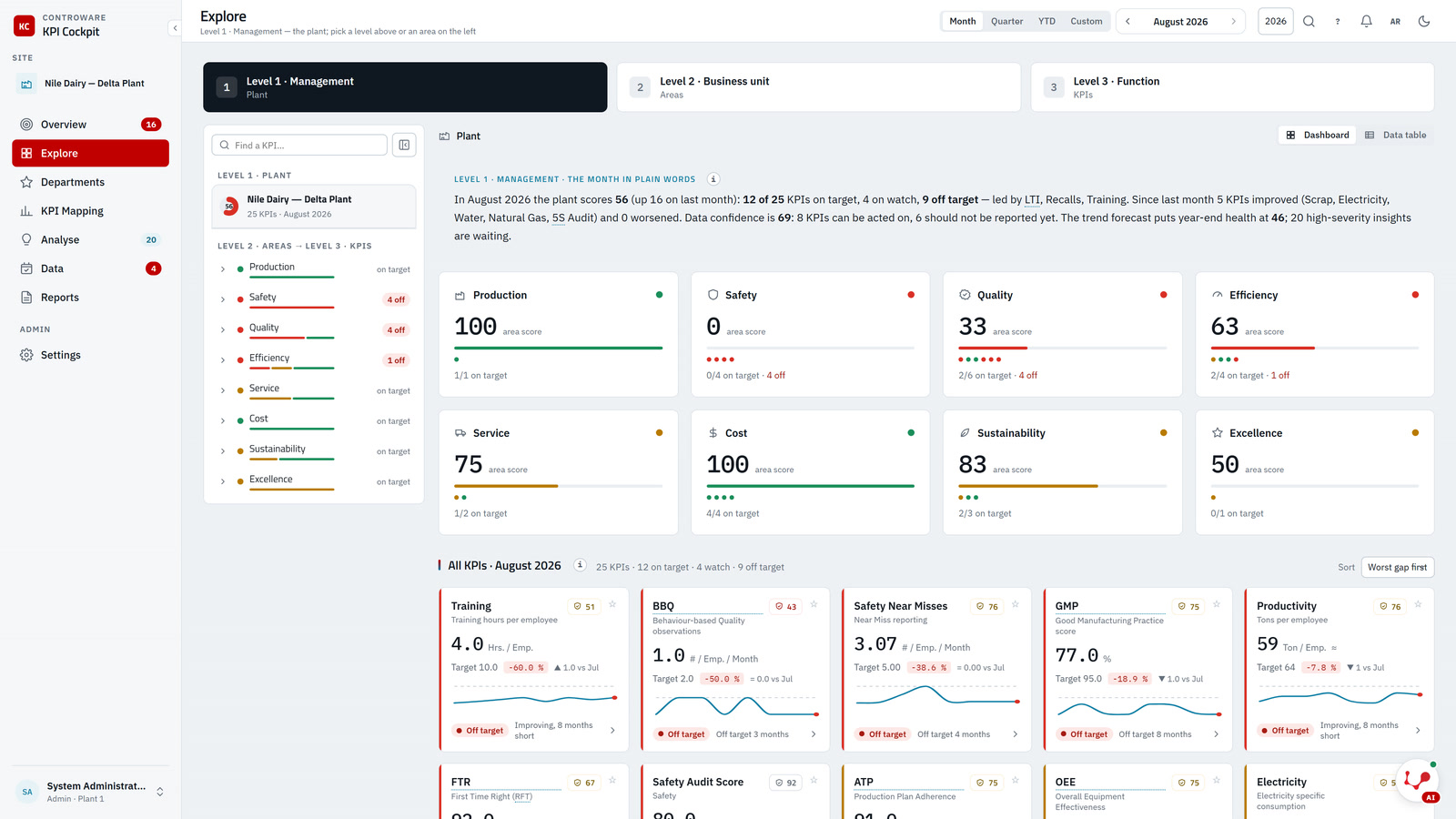
Plant → Area → KPITrend and forecastPer shift, day, month, year
Performance screen: the plant tree with areas and KPIs, and a KPI page with its trend.
“What is behind the numbers?”

Analyse

Insights, forecasts, which KPIs move together, and what-if scenarios.
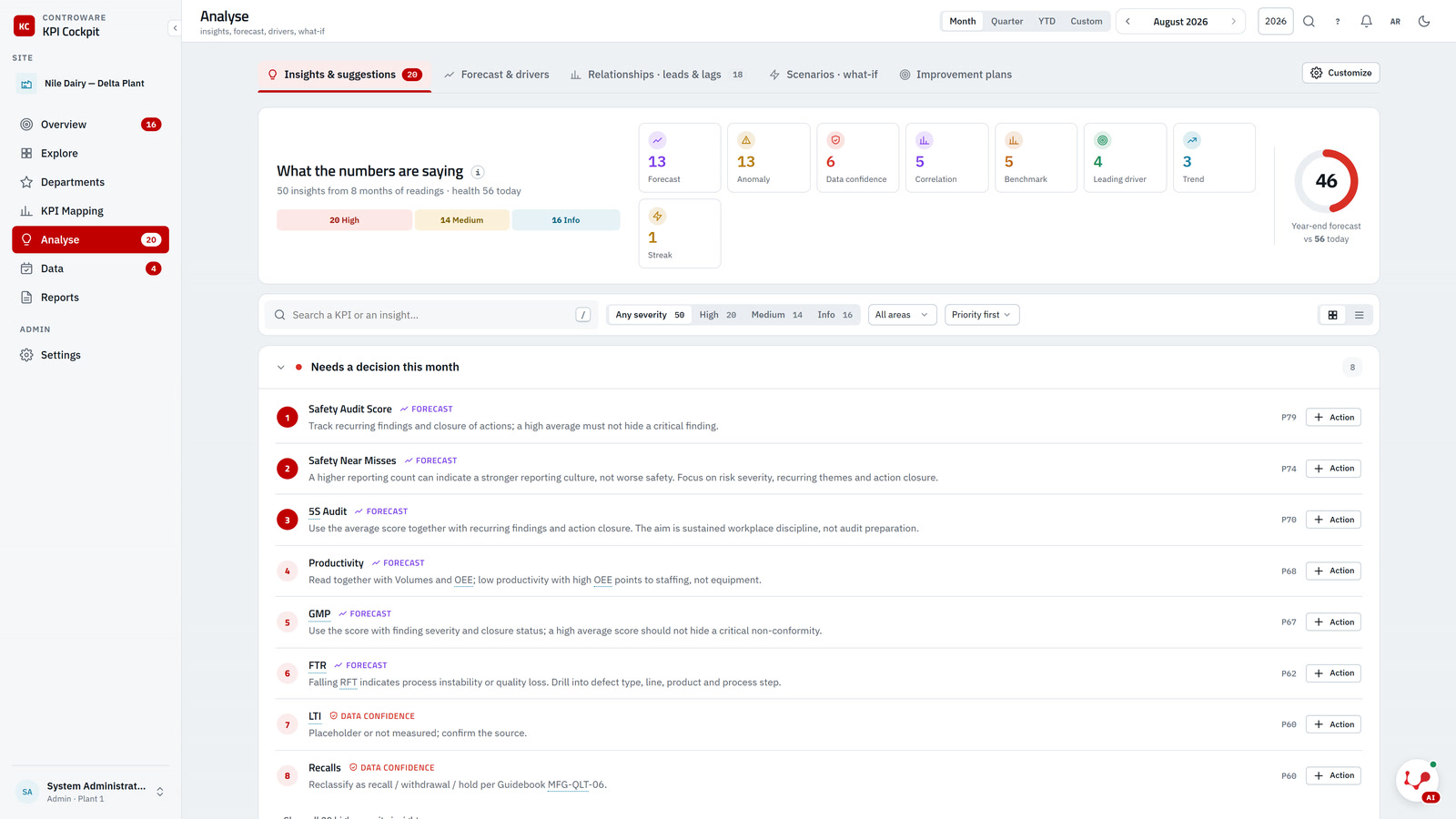
Analyse screen with insights and suggestions.
“Can we trust this number?”

Data quality

Eleven checks on every month give each KPI and each plant a confidence score, with the fix named.
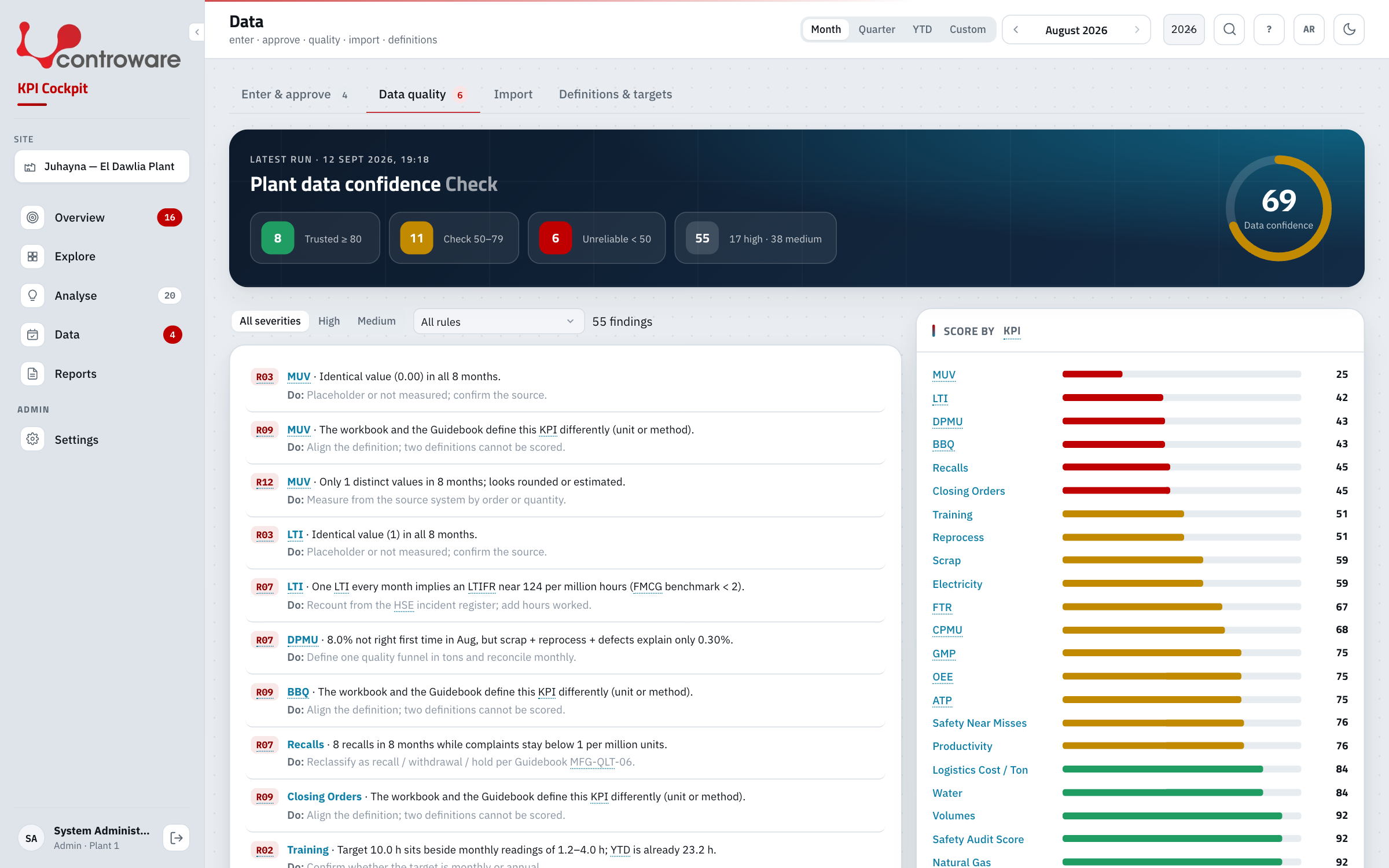
Data quality screen with findings and confidence scores.
“What do we send out?”

Reports

The monthly pack, the executive summary, validation and catalogue, as PDF, Word or Excel, in either language.
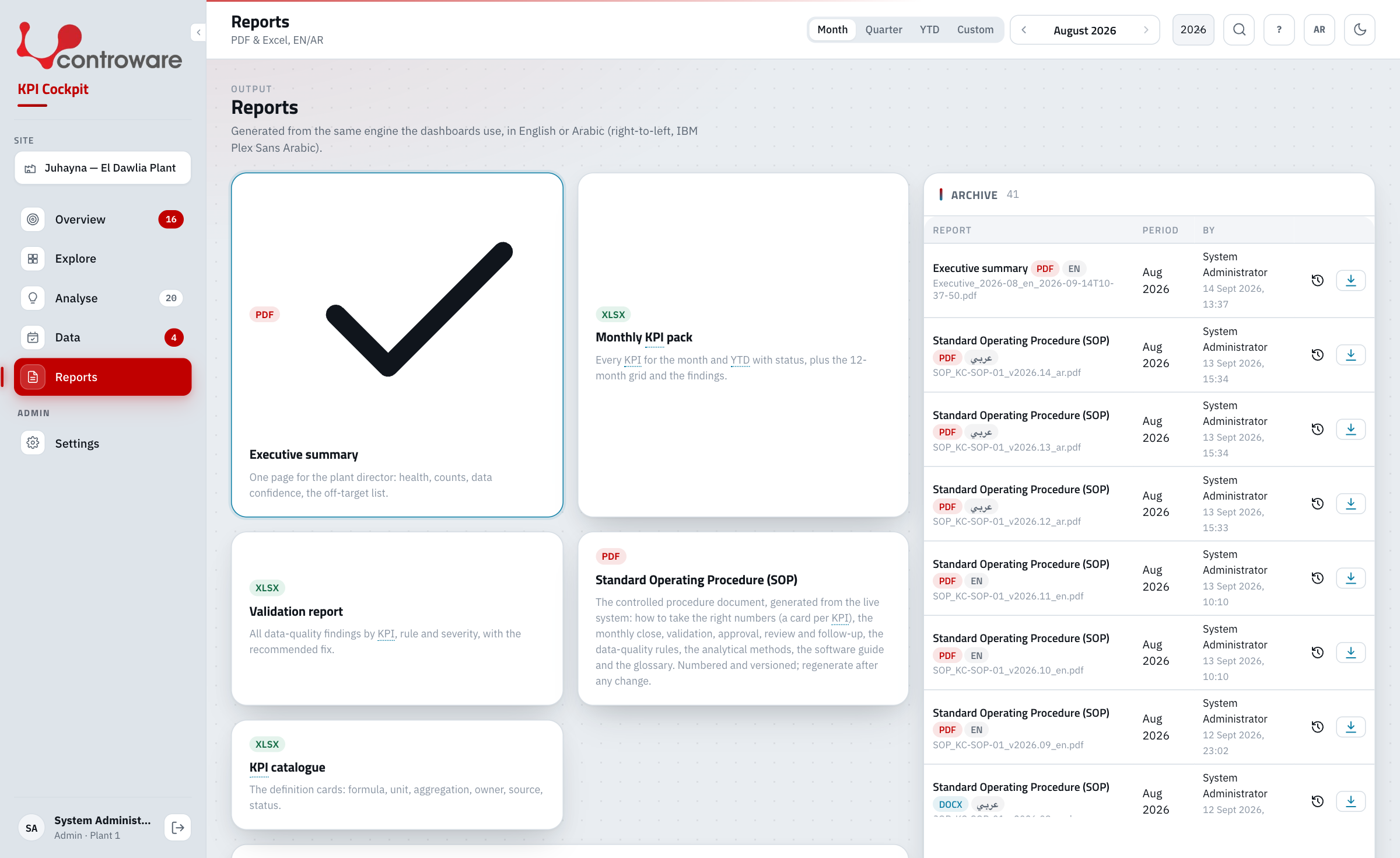
Reports screen listing the monthly pack and other reports.
“Who changed what?”

Full record

Every sign-in, change, download and refused attempt, with values before and after. Tampering shows.
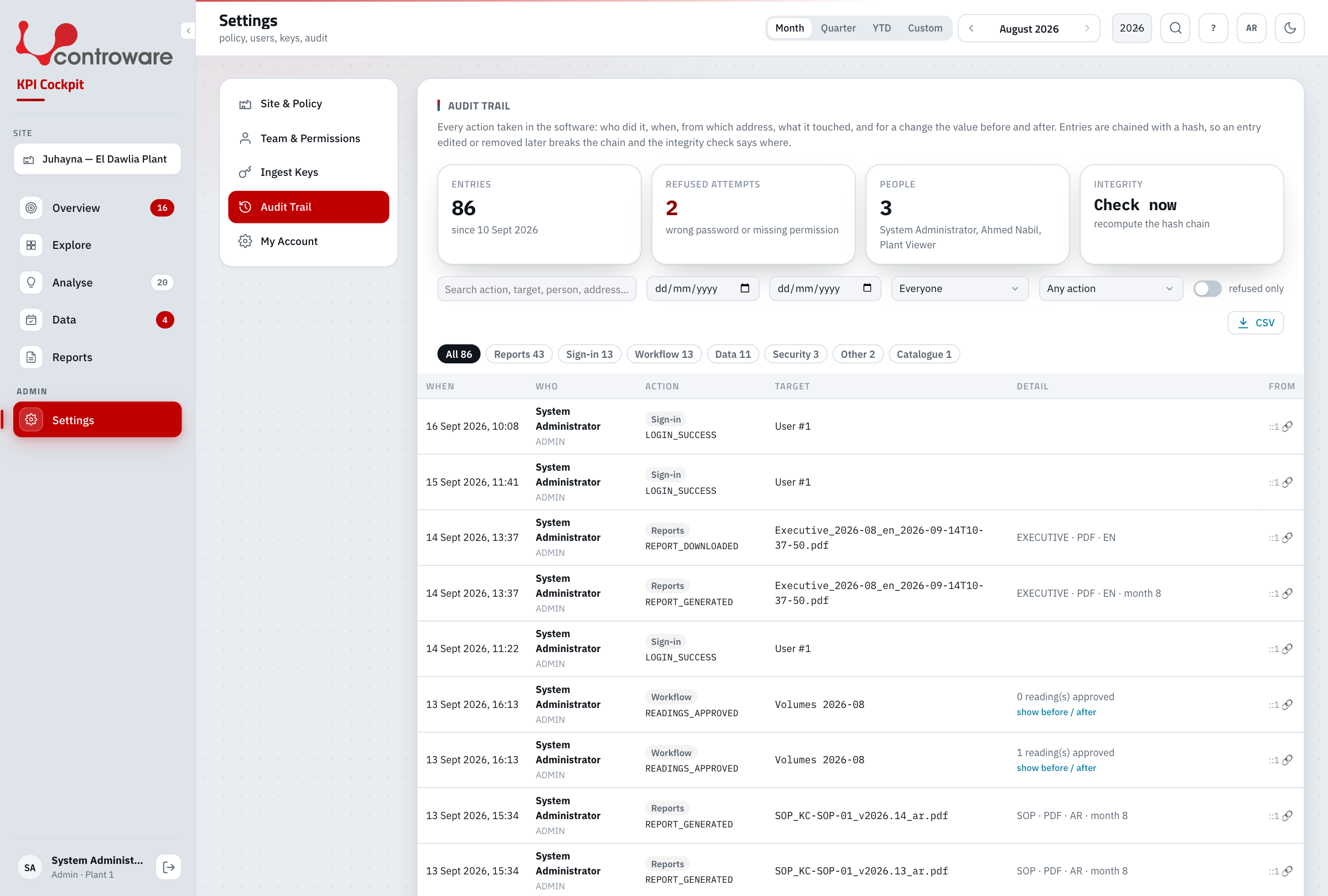
Audit trail screen listing actions with users and times.
Feature by feature

Everything it does, place by place

Pick a part of the system to see what is in it. Everything listed here is built; the connections to Juhayna's own systems are switched on with its IT team.

  • The month in wordsA headline sentence, what moved since last month, and the KP-AI summary.
  • Decide nowEvery KPI that needs a decision: the number, why, a suggestion and the owner.
  • 3D plant viewOne building per area, lit by its status; the camera orbits the plant.
  • SustainabilityElectricity, water and gas per ton, where the plant measures them.
  • Month-close readinessHow far the month is through entry, checking and approval.
  • Decisions and actionsFive counters, the action list and a calendar of deadlines.
  • CustomizeEach person shows, hides and reorders the sections they want.
  • Plant, area, KPIThree levels with summary cards and a status strip for every month.
  • How each value is calculatedThe formula per shift, day, week, month, quarter and year, worked through in numbers.
  • Honest targetsThe plant's own target, or an industry benchmark or baseline clearly labelled as one.
  • Table and chart viewsSparklines, status tints, and up to six KPIs as % of target on one chart.
  • KPI pageTrend and forecast, readings, data quality, definition versions, actions, plan and history.
  • “Is it real?”Checks whether a claimed improvement holds, or is just noise.
  • RankingThe production execution scorecard, department scores and a leaderboard.
  • Group viewEvery plant side by side on its latest month, then each KPI plant by plant.
  • KPI mapDepartment → objective → KPI → measurement → result, with the links that are proven.
  • OEE as an equationAvailability × performance × quality, with a gauge against target; live as shifts are saved.
  • Where the minutes wentA waterfall from shift time to productive time, each loss tied to its factor.
  • The plant's vital signsTEEP, waste, MTTR, MTBF and stops nobody wrote down, each with its trend.
  • By line, by shift, by causeThe biggest losses and the shifts below target, worst first.
  • The plant's own workbook chartsLines, weeks, products, breakdowns and waste, as the plant already reads them.
  • The operator's shiftThe paper line report on a phone: counters, stops, handover and who ran it.
  • Daily production planPrepared, approved by a second person, shown to the operator, compared with output.
  • Needed packsPacks needed per month and product, asked of Planning ahead of time.
  • Operator performanceEfficiency, stops and factor for the people on each line and shift.
  • Where the year is headingPlant health month by month, forecast to December.
  • Insights and suggestionsFindings by kind and severity; one click raises an action.
  • Forecast and driversForecast bands per KPI, Pareto, leading drivers and benchmarks.
  • RelationshipsWhich KPIs move together, and with what delay, judged for proof.
  • ScenariosSet a value, watch the effect ripple through, save and compare.
  • Improvement plansRed-to-green plans, approved into actions with owners and dates.
  • Month close as stepsEach step a card: due in amber, late in red, done with a green tick.
  • Enter and approveOne month, every KPI, live checks, bulk checking and approval.
  • Eleven quality rulesFindings by KPI and rule, with the score across runs.
  • Excel importDownload this month's pre-filled sheet, fill it offline, preview, and load it as drafts.
  • Definitions and targetsEvery change makes a new version; history stays comparable.
  • Certified monthA certificate with the month's fingerprint, who certified it and when; only a manager can unseal.
  • Three stepsChoose a report, set month and language, generate; the last one is ready to download.
  • Every report the plant needsMonthly pack, one-page executive summary, validation, catalogue and SOP.
  • PDF, Word or ExcelIn English or Arabic, Arabic laid out right to left.
  • ArchiveEvery file ever made, grouped by day, with its history.
  • Live everywhereA change saved on the web, a phone or the ERP shows on every open screen at once.
  • NotificationsApproved, returned with a reason, assigned, due soon, escalated.
  • Works without signalReadings and actions wait on the device and go when it reconnects.
  • Phone appHome, KPIs, inbox, actions and Ask; month close on the phone; connects by QR code.
  • Alerts with the app closedOn Android, within seconds; app updates arrive signed, and a required one is enforced.
  • Explained everywhereAn (i) beside every number says what it is and how it is worked out.
  • Find anythingA search palette, and popups that open any KPI or area in place.
  • Two languages, two themesEnglish and Arabic right to left; dark and light.
  • Excel in and outImport the plant's workbooks; export every report and pack.
  • ERP connectionThe ERP pushes readings in as drafts and reads approved results out, each with its own key.
  • Company sign-inSingle sign-on with the company's own accounts.
  • Security monitoringSecurity events go to the company's own monitoring system.
  • EmailThe same notifications by email, once the plant's mail server is set.
  • KP-AI on WhatsAppAsk the assistant from a linked phone number; live once the WhatsApp account is set up.
  • One install packageDatabase, assistant, app and certificates on one Windows Server, with no internet needed.
  • Backups checked every nightAnd updates that can be rolled back.
  • A signed licence per siteChecked offline; seats and devices per role.
  • Safe sign-inTwo-step sign-in, password rules, idle sign-out and session limits.
  • One build, any plantPlants, areas, KPIs, targets and Arabic terms are settings, not code.
  • Built to IEC 62443Security level 2 controls and documents, with a customer security manual.
  • Command centerKPIs off target, plans to approve, value a year and the latest run.
  • Decision libraryA card per engine with its last plan and its gain against the manual way.
  • Engine pageThe question, the proof, plan against manual, why, and approve or reject.
  • Live optimisationWatch a plan being worked out, with its proof of quality.
  • Action CenterWhat is waiting: plans to decide, plans waiting for approval, plans approved.
  • Plans and approvalsEvery run kept as a version; a second person decides.
  • Constraints and dataThe plant data each engine reads, and the limits it must respect.
  • Explainability and valueWhy each plan, and what approved plans are worth in a year.
Qarar قرار · Decide

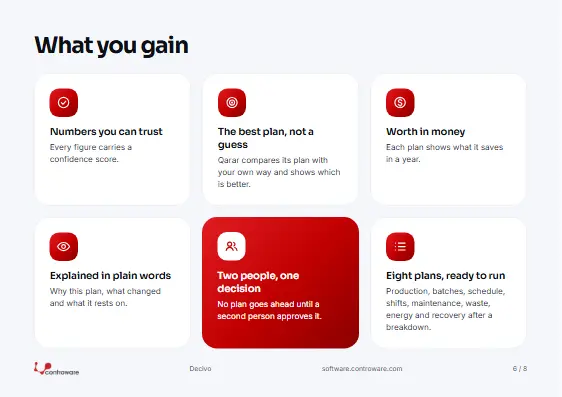
Every red KPI gets a route back to green

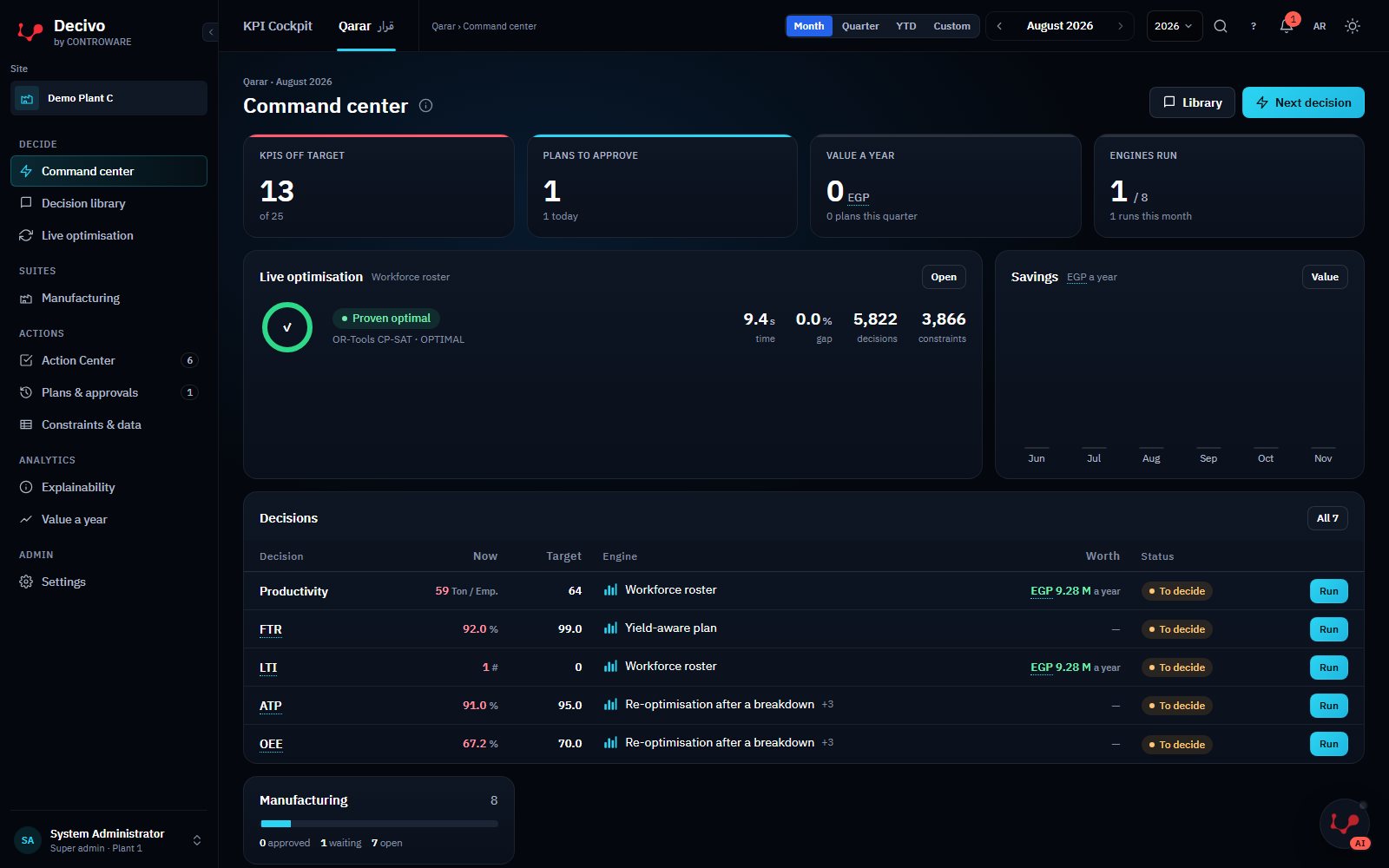
Qarar is Arabic for decision. KPI Cockpit says which number is off target. Qarar works out the best plan to fix it, puts it beside the way it is planned today, and shows what the difference is worth in a year.
  • 65 decision engines, each answering one real question for a dairy and juice producer.
  • The best plan, not a guess. Real planning mathematics, not rules of thumb, and each plan says how close to the best possible it is.
  • Explained in Arabic and English. Why this plan, what it rests on, and what it gives up.
  • Two people, one decision. Whoever ran a plan can never approve it.
Qarar command center: KPIs off target, plans to approve, value a year, a workforce roster proven optimal in 9.4 seconds, and a table of decisions with their worth in EGP.
Live on the demo since 26 November 2026. A workforce roster with 5,822 choices, proven best in 9.4 seconds.
65 engines · four suites

From the milk tanker to the shelf

Each engine answers one question a planner faces every day or week. Manufacturing comes first for Juhayna; the other three suites are ready when the business wants them.

16

Manufacturing

  • Capacity plan, 18 months
  • Line schedule and changeovers
  • Workforce roster
  • Preventive maintenance
  • Scrap, rework and QA release
  • Energy and peak demand
  • Milk standardisation
  • CIP campaigns
  • Re-plan after a breakdown
  • Milk reception and silos
19

Supply chain

  • Sales and operations plan
  • Demand sensing
  • Where to hold safety stock
  • Sharing a short product fairly
  • Supplier risk and buffers
  • Warehouse network
  • Warehouse labour by the hour
  • Dock and yard slots
  • 13-week cash plan
15

Logistics

  • Daily delivery routes
  • Customer delivery windows
  • Fleet size and mix
  • Urgent orders mid-day
  • Driver rota
  • Truck loading
  • Raw-milk collection
  • Fuel, tolls and road choice
  • Returnable crates and pallets
15

Commercial and retail

  • Field-staff schedule
  • Forecasts by level
  • Promotions
  • Markdown
  • Assortment
  • Route to market
  • Trade terms
  • Supplier financial risk
How a decision is made

From a red KPI to an approved plan

  1. SpotA KPI turns red; “Fix with Qarar” opens the engines that move it
  2. SolveOn the plant's own data and the month's approved readings
  3. CompareBeside today's manual way, with proof of how good it is
  4. ExplainWhy, what it rests on, and every trade-off, in both languages
  5. ApproveA second person decides; only then does its value count
Qarar's plan against the manual way

What the difference looks like

Every engine also works out the planner's usual method, so the gain is measured, not claimed. Six manufacturing engines, one week:

QararManual way
Line scheduleOrders delivered on time
98.5 %
78.5 %
+20 points
Workforce rosterShifts left without own staff
0
86
86 → 0
Scrap and rework planScrap this week
37.7 t
54.6 t
−31 %
Re-plan after a breakdownOutput lost to the stop
0 t
56.7 t
56.7 t kept
Lot sizingPacking set-ups in 8 weeks
96
138
−30 %
CIP campaignsChangeover and cleaning hours
99.4 h
116 h
−14 %

Trade-off shown, not hidden: stock held rises from 546 to 761 thousand EGP. This is the engine for Masria's largest loss, planned cleaning, 45 % of June's lost hours.

Default runs on CONTROWARE's demo dairy plant: generated data, not Juhayna's figures. With Juhayna's data pack, the same engines plan on Juhayna's own lines, products and costs.

Honest about how good

Every plan carries its proof: Proven best Within 5 % of best Best found in the time allowed

Value that is real

“Value a year” adds up approved plans only. One-off gains and trade-offs are shown, never counted twice.

On Juhayna's own data

It reads a data pack of the plant's lines, products, changeovers and costs, plus KPI Cockpit's approved OEE, scrap and energy. It runs inside the plant.

Red to green

From “training is behind” to a dated plan

One click on a red KPI drafts the plan: the gap, the pace needed, the actions with owners and dates, and the route back to target month by month. Every number in it is checked against the facts.
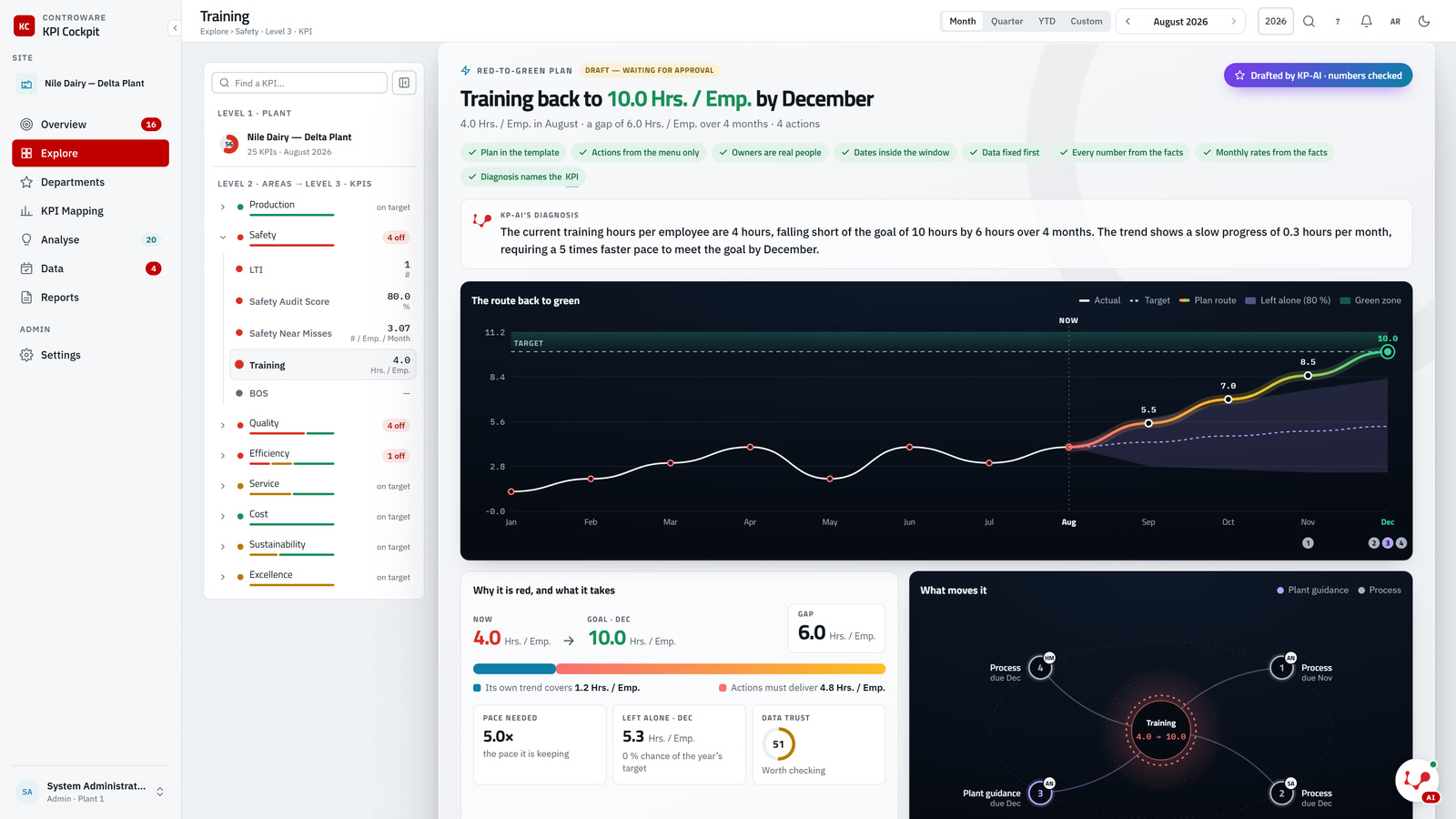
Red-to-green plan for Training: back to 10 hours per employee by December, with the route chart and the actions.
New in November · On the production line

Down to the line, shift by shift

Masria and Egyfood already run on their own files: their real months, their own 2026 targets, and their own OEE method, checked against their workbooks.

45 %

The biggest loss, found

At Masria in June, planned cleaning (CIP) took 829 of 1,833 lost hours. The loss analysis shows where the hours went, by reason and by line, so effort goes where it pays.

OEE you can read

Availability, performance and quality as one equation, from the operators' shifts. Where the minutes went, the trend, and the shifts below target.

The daily production plan

Prepared by line, approved by a second person, shown to the operator, then compared with what was actually made.

Operator performance

The people on each line and shift, with their efficiency and machine stops, on the web and on the phone.

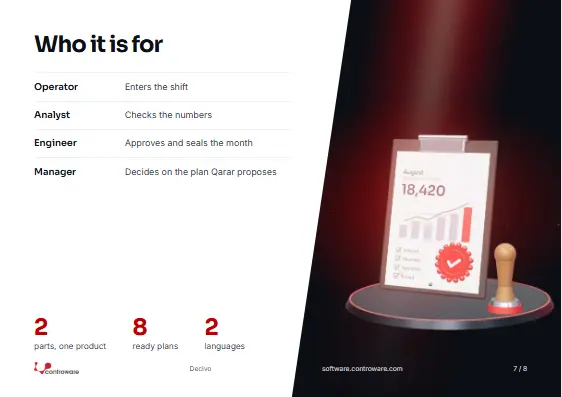
Who uses it

The right job for each person, and a nudge when something is missing

Ten roles, each seeing and doing only what its job needs. A manager can grant one extra right to one person, but the rights that guard the system stay with CONTROWARE.

Running the plant

ManagerRuns the factory's people, machines and settings; approves the daily production plan
SupervisorOversees chosen areas; enters or corrects the shifts of their lines
ViewerReads every screen and report; asks KP-AI

Trusting the numbers

EngineerApproves and seals the month; owns definitions and targets
AnalystEnters and checks readings, imports workbooks, makes reports
OperatorEnters the shift of their own machines, and nothing else

The departments

Finance · QualityType only their own department's KPIs
Maintenance · HRThe same; Maintenance also says what a fix takes
CONTROWAREUsers, the audit trail, the licence and app releases; no factory account can change it
20people across four factories
Juhayna's licence, per factory
  • 1Manager12 devices at once
  • 1Engineer5 devices
  • 1Supervisor5 devices
  • 2Operators10 devices each

One more sign-in than allowed is refused, with a clear message. The manager sees seats and devices in use, and can sign a person out everywhere.

Each group is asked for its own data

GroupAsked for
ProductionA line's shift not entered 30 minutes after it ended; its monthly KPIs
PlanningTomorrow's production plan; the month's needed packs, and next month's from the 25th
Finance · QualityLast month's readings of the KPIs they own
ManagementFigures waiting for a check; the month's repair budget

Followed up until it arrives

  1. 1

    One message a day, only while something is missing, kept up to date in place.

  2. 2

    “I am on it” tells the rest of the group who has it.

  3. 3

    After two reminders the group's supervisor and manager are both told.

  4. 4

    It closes itself when the data arrives.

Actions with a deadline climb the reporting line the same way: the owner, then their manager, then their manager's manager.
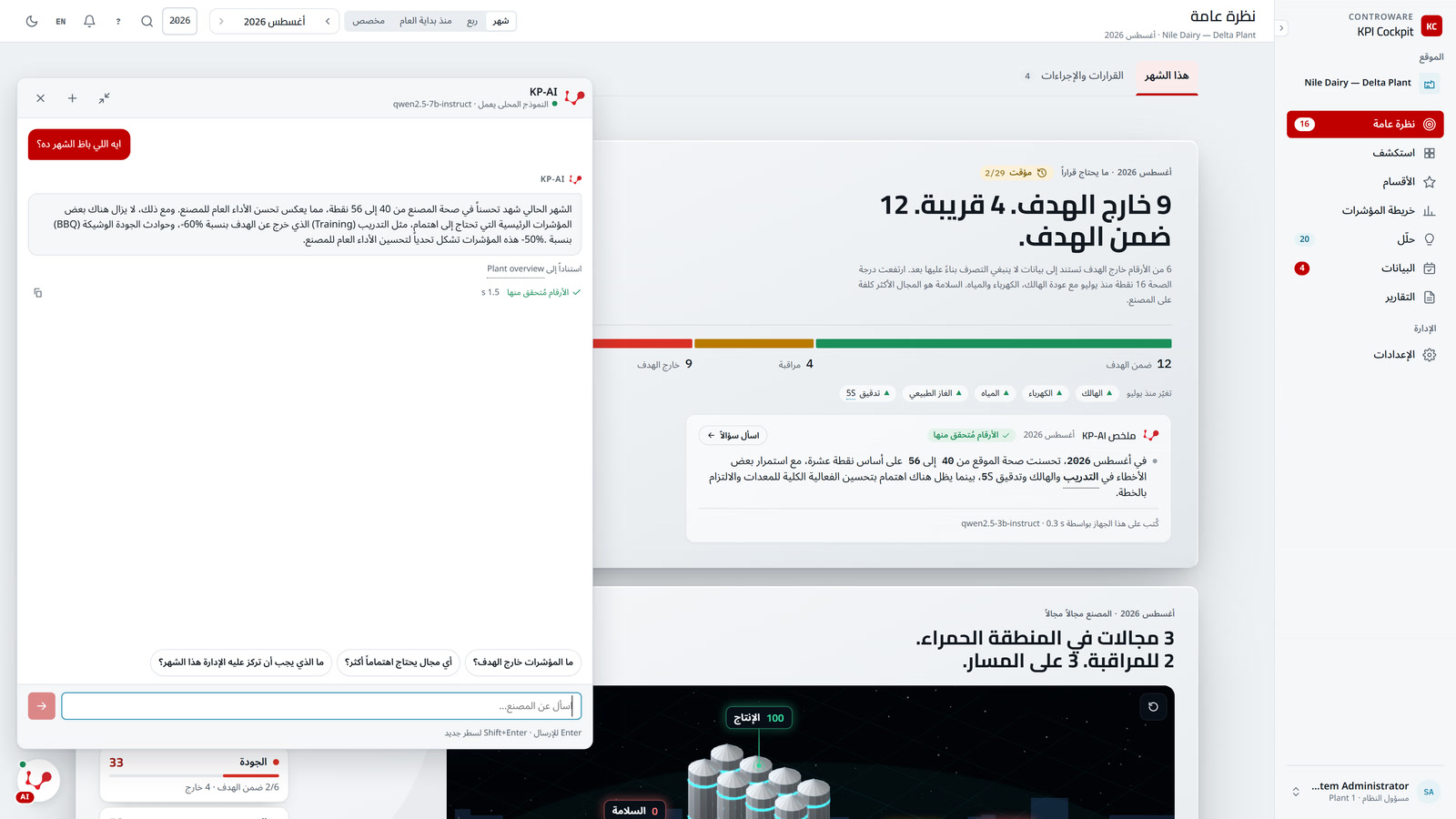
KP-AI · The assistant

Ask in Arabic. Get the plant's own numbers.

  • Arabic, English or Egyptian Arabic. “What happened this month?” in the words people use.
  • Every number is checked. The system works out the facts; the assistant only puts them in words, and each figure is checked before it is shown.
  • Stays inside the plant. It runs on Juhayna's own server. Nothing goes to the internet.
KP-AI answering a question in Arabic about the month, with a 'numbers checked' mark.
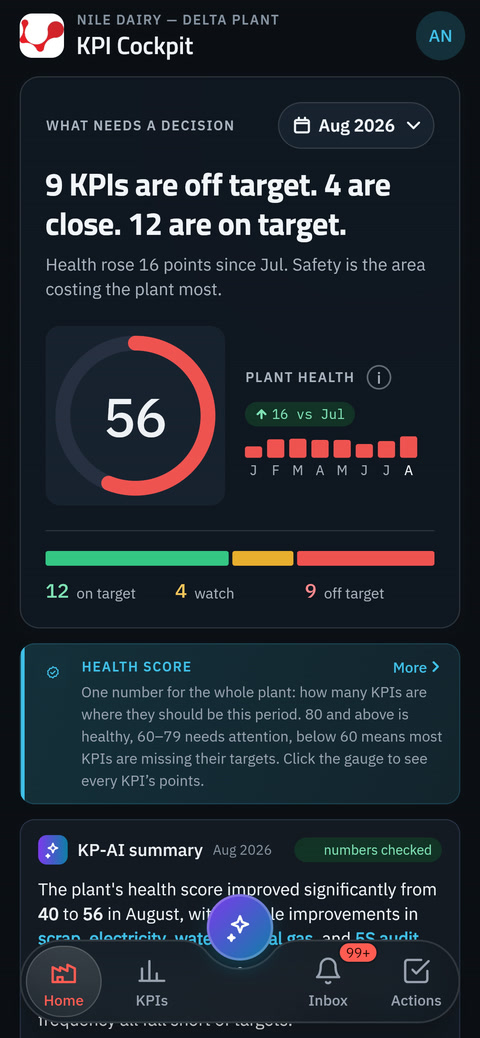
The phone app

The month in your pocket

  • Enter and approve readings and shifts from the inbox.
  • Alerts that arrive even with the app closed: a reading approved, returned, or an action assigned.
  • Works without signal and sends later. Connects by scanning a QR code.
Phone app home: 9 KPIs off target, plant health 56, KP-AI summary.
Proof, not promises

Checked on every change

Nothing is published until it passes. These checks run automatically, every time.

45/45security tests passingon every change
37end-to-end test suitesagainst a real database
96assistant questionsevery one must pass
~600 → 5database calls for a year's importafter the speed work

Nothing leaves the plant

The software, the database and the assistant run on Juhayna's own server, fully offline.

Tampering shows

Each record is linked to the one before it. Change one, and the check fails.

A sealed month stays sealed

Certified Close seals the month and can prove later that it is unchanged.

The right people only

Roles per plant, two-step sign-in, and single sign-on with the company's own accounts.

Built to IEC 62443

Security level 2 controls and documents are in place. Formal certification is a later decision.

Scanned before it is saved

Every change is scanned for secrets, unsafe code and weak components before it reaches the server.

Where it stands · 26 November 2026

Ready for the pilot. Open items are named.

The product is complete for a pilot and runs live on the demo server. What remains is the first install at Juhayna and the decisions that go with it.

  • Web app

    All screens, English and Arabic, light and dark, works on a phone browser

    Done
  • Approve and seal

    Entered, checked, approved; certified and sealed months; full record

    Done
  • Data quality and reports

    Eleven checks with confidence scores; PDF, Word and Excel in both languages

    Done
  • Red-to-green plans

    Plans for red KPIs, fixes chosen inside a budget, second approval

    Done
  • Qarar: 65 decision engines

    Live on the demo since 26 November; next, Juhayna's data pack for manufacturing

    New this month
  • KP-AI assistant

    Arabic and English answers from the plant's own numbers, inside the plant

    Done
  • OEE, losses and production plan

    From operators' shifts; loss analysis; daily plan by line with approval

    New this month
  • Phone app (Android)

    Home, KPIs, inbox, actions, assistant; offline; alerts with the app closed

    Signed at go-live
  • Install at Juhayna

    Offline Windows Server package with backups and safe updates; first full install pending

    Ready to rehearse
  • ERP link and single sign-on

    Built; switched on together with Juhayna IT

    Waiting on IT
  • iPhone

    Web version of the app today; store choice with Juhayna

    Web version
  • OEE straight from the machines

    Designed and tag list written; start with one filler line after the pilot

    Planned
  • Independent penetration test

    After the pilot install

    Planned
11 weeks from first line to today370 recorded changes, each one checked4 people on the CONTROWARE team
What we need from Juhayna

Six things that keep the dates

The first one matters most: the KPI owners' time is the single thing most likely to move the end date.

KPI owners in the workshops

To agree one definition per KPI and close the conflicts the assessment found.

KPI owners · four plants

A server and its place on the network

The server, network zone, certificate and backup location, agreed before kick-off.

Juhayna IT

Sign-on and security decisions

Company sign-on, where security events are sent, and the ERP connection.

Juhayna IT

Shifts entered on the lines

Operators' shifts by line, with stop reasons. They unlock the maintenance, cleaning and scheduling plans.

Production

Changeover times and CIP rules

By product, so Qarar can plan cleaning where the line is idle anyway.

Masria production

The plan by product and month

The sales or production plan, so next quarter's capacity and shortfalls can be shown.

Planning and sales

Already working, ready for Phase 2. The phone app, the analysis layer (insights, forecasts, what-if), the assistant and the ERP connection are outside the Phase 1 scope, yet already built and shown in the demo. They can be switched on without new development.
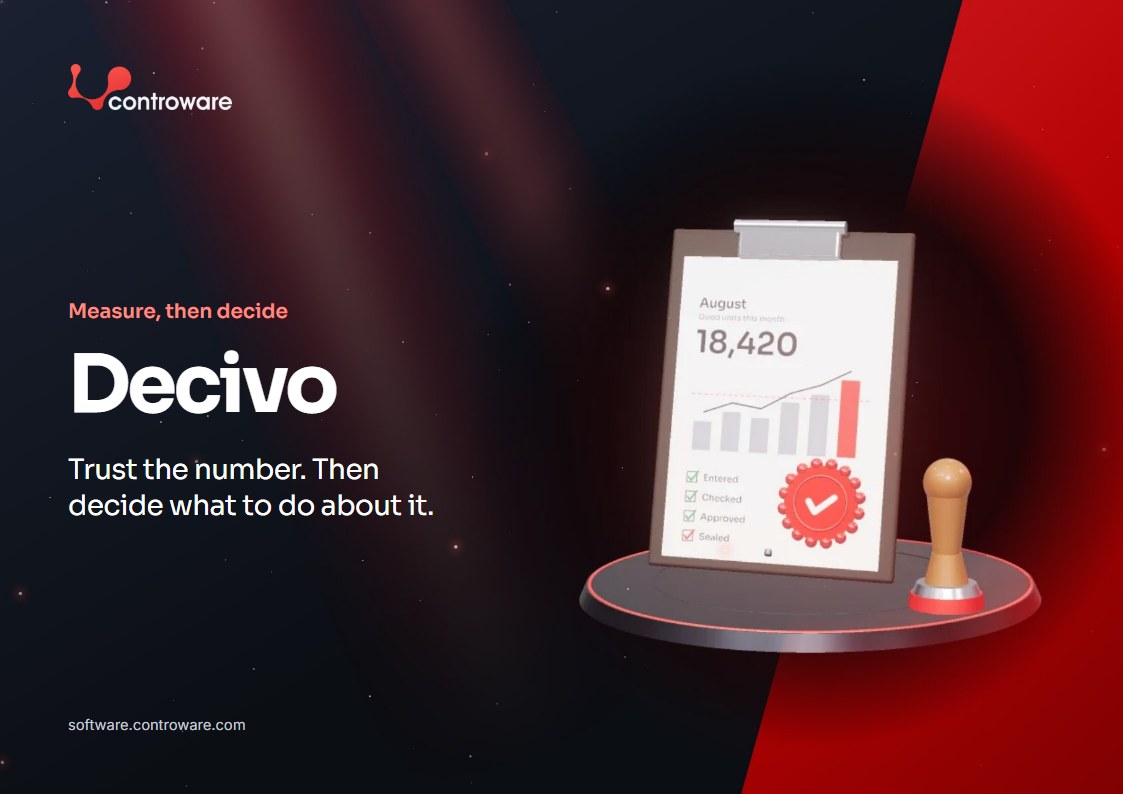
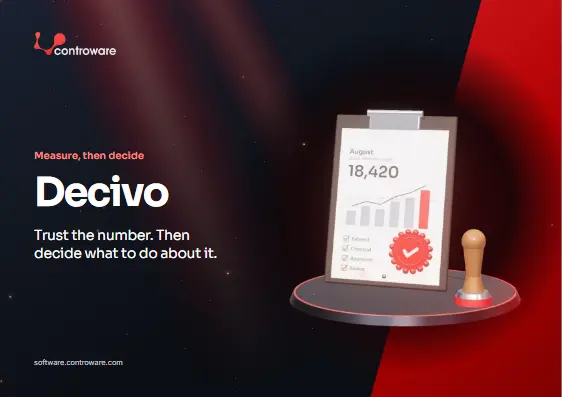
Brochure cover: Decivo, measure then decide. Trust the number, then decide what to do about it. Point at it to look inside
The brochure

Decivo, on paper

The software in eight illustrated pages, to keep after this meeting, print, or pass to the people who were not in the room.

8
pages
A4
landscape
1.1 MB
PDF
EN
English

PDF to read and print (1.1 MB). PowerPoint to present and edit (1.9 MB, 8 slides with speaker notes).

Click a page to open it in the PDF. Arrow keys turn the pages.

Sample outputs · El Dawlia, August 2026

What lands on the director's desk

Real files, made by the system from El Dawlia's own readings for January to August 2026. Open them as they are; nothing was retouched.
  • Made in one click from the approved month, in English or Arabic.
  • Marked official once the month is certified and sealed.
  • The same numbers everywhere: the screen, the PDF and the Excel pack never disagree.
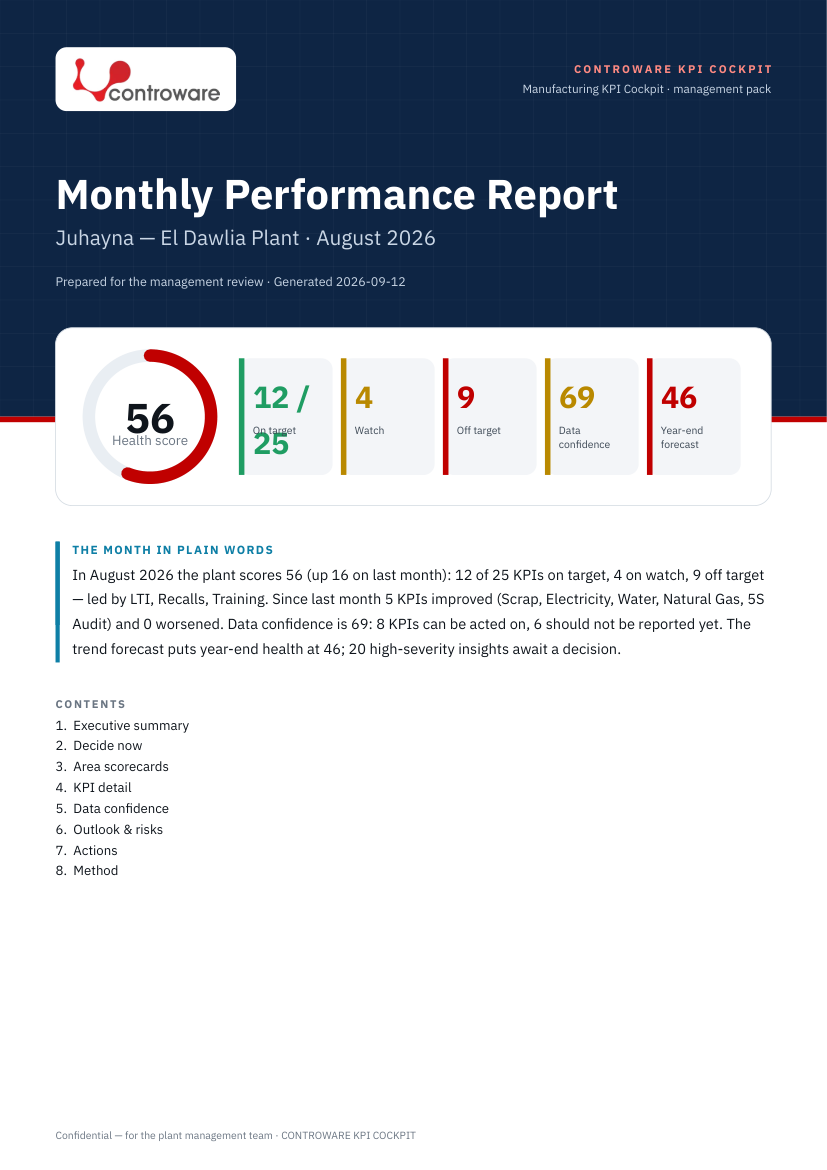
Monthly Performance Report cover: Juhayna El Dawlia Plant, August 2026. Health score 56; 12 of 25 on target, 4 watch, 9 off target; data confidence 69; year-end forecast 46.
  • PDF

    Monthly Performance Report

    August 2026 · 20 pages · executive summary, decide now, area scorecards, KPI detail, data confidence, outlook, actions

  • XLSX

    Monthly KPI Pack

    August 2026 · 10 sheets · scorecard, decide now, monthly, insights, forecast, data quality, actions, definitions

  • XLSX

    Validation Report

    2026 · 3 sheets · the overview, every data-quality finding with its fix, and the year to date

  • PDF

    Standard Operating Procedure

    A controlled document: how the numbers are measured, closed, reviewed, decided on and followed up each month

  • PDF

    Manufacturing KPI Guidebook

    24 pages · every KPI: what it answers, how it is calculated, its rules, and how to act on it

Confidential: these files hold Juhayna's own plant figures.

Next step

Trust the number. Then decide.

Open the live demo on a laptop or a phone, then agree the kick-off date and the definitions workshops with us.